
SkyCrown Casino App: Play Anywhere, Anytime
Do you want to enjoy the favorite pokies on the go? Then downloading SkyCrown Casino mobile app would be reasonable. But the company has simplified mobile experience for the fans’ convenience. You can access over 7,000 games via mobile-optimized website. No extra files need to be installed—this browser-based approach means fewer compatibility issues, consistent updates without manual patches, and swift access to the entire casino lobby.

If you enjoy spinning reels at lunch breaks or exploring live dealer tables during your downtime, the SkyCrown website transforms your mobile device into a virtual casino floor. Every button, menu, and loading screen adapts to touch input, letting you navigate categories with simple taps rather than mouse clicks.
Why Choose the SkyCrown Mobile Platform?
Many online casinos release official apps, some of which eventually become outdated, restricted, or incompatible with certain device models. SkyCrown circumvents these pitfalls by focusing on a fully responsive site that remains functional across a wide range of phones and tablets.
No Downloads Required
Perhaps the greatest advantage is the lack of an installation step. No matter which brand or operating system you use, you simply open a supported mobile browser—Chrome, Safari, Edge, or Firefox—and head to SkyCrown’s official site. This means:
- No Extra Software: You won’t need to allow unknown installations or scour official app stores for the latest version.
- Save Storage Space: Modern smartphones often have limited capacity. By avoiding a large app download, you leave room for other important data.
- Automatic Updates: Any new features or promotional changes appear on the site immediately, without requiring user-initiated updates.
From the moment you type in SkyCrown’s URL, the interface adjusts to your display resolution. Button sizes, text fields, and game icons become finger-friendly, letting you jump right into the action without digging through multiple menus.
Full Casino Experience on Mobile
Despite not having a native app, SkyCrown’s HTML5-based design captures the essence of its desktop site. Once you log in, you can peruse a sprawling library of over 7,000 titles, including pokies, table, live dealer games and many other types.
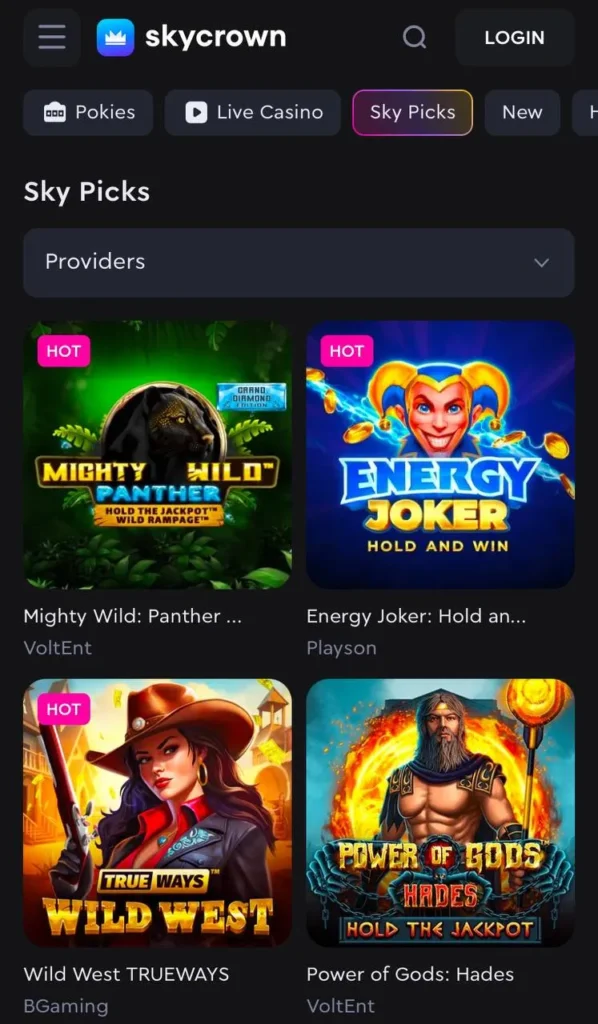
Pages load swiftly, aided by streamlined code and efficient asset management. The result is minimal lag when you switch categories or open new games. Gesture-based scrolling allows you to explore titles as quickly or methodically as you like.
Secure & Fast Transactions
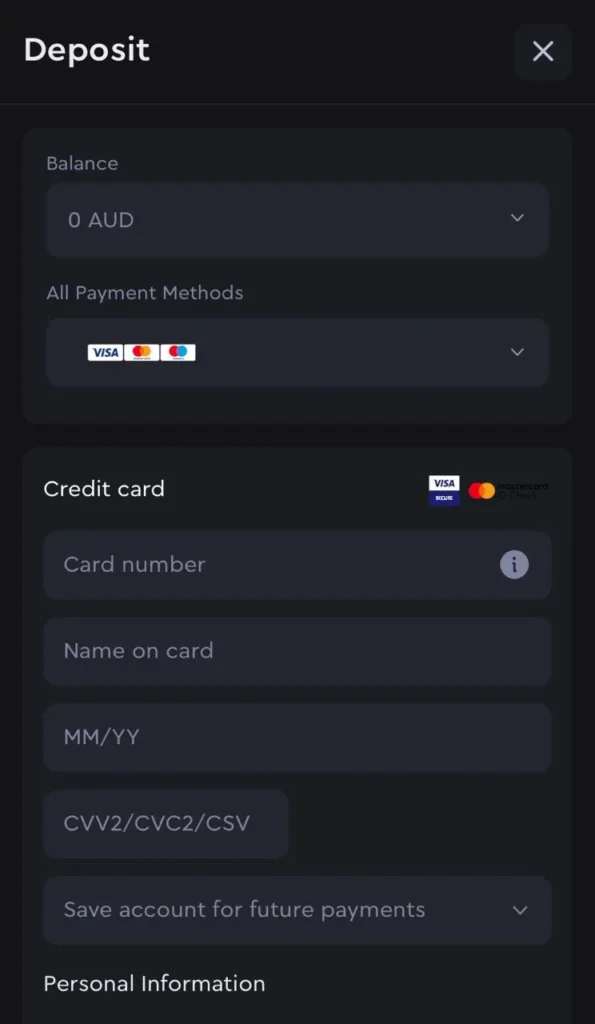
Mobile play shouldn’t compromise security, and SkyCrown meets that standard by integrating SSL encryption throughout the site. This encryption protects your login data, financial info, and personal details from unauthorized parties. That means you can deposit and withdraw from anywhere, without fretting over compromised connections.
Banking on mobile mirrors the same ease found on desktop:
- Deposit Methods: Visa, Mastercard, MiFinity, prepaid solutions, and multiple cryptocurrencies.
- Withdrawal Options: Card-based payouts, e-wallet returns, or crypto cashouts, often processed rapidly.
- Safety Measures: Two-factor authentication (2FA) may be enabled, alongside standard KYC checks, to confirm identity before large withdrawals.
By putting these safeguards in place, SkyCrown ensures that claims about convenience and speed don’t overshadow crucial aspects of data protection.
Claim Bonuses & Promotions on the Go
Promotional deals serve as a highlight for many gamblers, and SkyCrown stands out by making sure each SkyCrown Casino bonus is equally accessible on mobile devices. Newcomers can trigger the multi-tier welcome pack by depositing from their phone, while returning members can glean free spins, reload matches, and cashback deals in just a few taps.
Whether it’s your first deposit or your fifth this week, you won’t miss out on promotional perks simply because you’re using a mobile browser.
How to Get SkyCrown on iOS?
If you use an iPhone or iPad, you can access SkyCrown in under a minute by following these steps:
- Open Safari
Most Apple devices come with Safari preinstalled, but you can also opt for an alternative browser like Chrome if you prefer. - Visit the Official SkyCrown Casino Website
Type in the correct URL and wait for the homepage to load. - Tap the Login Button or Sign Up if You’re New
Returning users can log in right away, while newcomers should follow the quick registration process to create an account. - Browse the Game Collection and Start Playing Instantly
Swipe through categories such as pokies, table games, or live dealers. Tap on any icon to load a title; it should adapt to your screen automatically.
If you want to access the casino in fewer clicks, add the shortcut to home screen. Find the corresponding option in Share menu.
This method spares you from hunting for an official app in the App Store or dealing with potential compatibility issues. Each time you launch it, Safari opens SkyCrown in its own window, giving an app-like experience without storage overhead.
How to Play SkyCrown Casino on Android?
Android phones and tablets handle the process just as smoothly, though the steps differ slightly depending on your browser preference:
- Open Google Chrome or Any Preferred Browser
Many Android users default to Chrome, but Firefox or Edge also work if you prefer them. - Navigate to SkyCrown’s Official Website
Enter the casino’s web address, ensuring the URL is accurate. Watch for security icons or the padlock symbol near the address bar to confirm SSL encryption. - Sign In or Create an Account
If you already have a profile, imply log in. Otherwise, fill out the necessary registration details and verify your email. - Explore Pokies, Live Casino Games, and Promotions
Tap on any game category or promotional banner to see current offers. Slide your finger over the screen to reveal more titles, load times remain fast for most devices. - Optionally, Save the Site as a Shortcut
- Tap the three-dot menu in Chrome.
- Tap “Add to Home Screen.”
- Name the shortcut (e.g., “SkyCrown Casino”).
- After confirmation, an icon with the SkyCrown logo appears for single-tap access.
This route bypasses any need to download .apk files or trust third-party app repositories. All you need is an updated browser, stable data or Wi-Fi, and you’re set to gamble on the go.
Need Help? Contact SkyCrown Support
Even a well-designed site can prompt occasional questions, so SkyCrown ensures multiple support channels are ready to assist mobile users:
- 24/7 Customer Support via Email
You can write to [email protected], explaining your issue in detail. The team typically replies in under an hour, although times can vary based on volume. - Detailed FAQ Section
If you want immediate answers, browse the comprehensive FAQ. It covers topics like account verification, bonus eligibility, and technical hiccups. Many inquiries can be resolved without contacting a live agent. - Contact Form on the Website
For direct assistance, fill out the form provided on the site’s help or support page. This channel suits players who need to submit screenshots or specify their device type, helping staff replicate any issues faster.
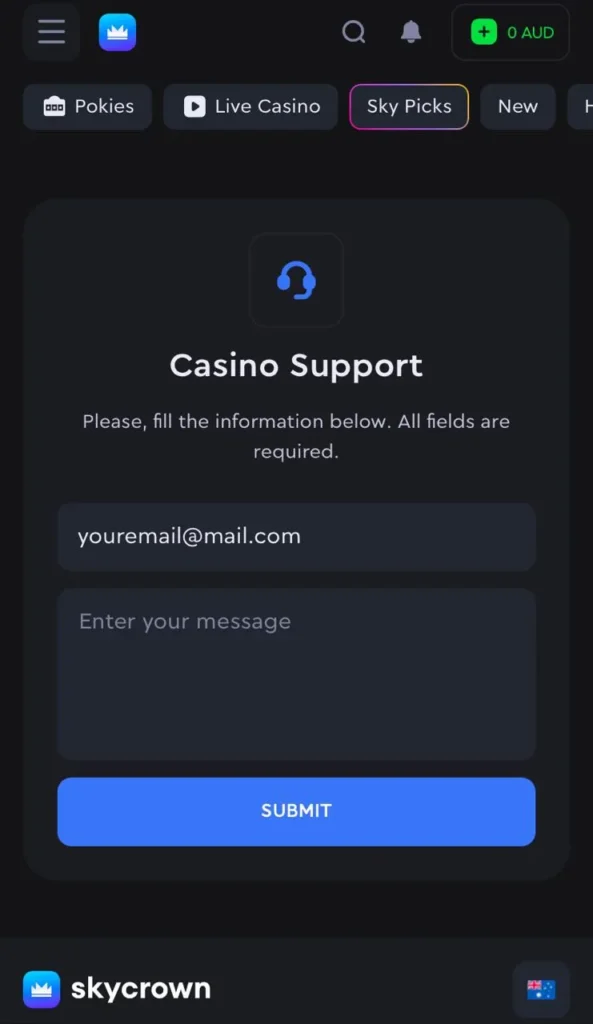
Thanks to mobile-friendly design, each of these methods is straightforward to use from your smartphone or tablet. By blending around-the-clock availability with well-organized resources, SkyCrown aims to keep your gaming sessions hassle-free.
Through an adaptable browser-based platform, you can log in on your phone, deposit funds, and spin the reels of any pokie you fancy—no downloads required. With quick banking, modern encryption, and all the promotions you’d find on the main site, playing on the move has never been easier. Whether you’re after the latest slot releases or high-stakes blackjack, you can indulge any time and any place—no dedicated app needed.